

Skip to content
Cleaning Operator

Cleaning type

Software for commercial and office cleaning

Contracts paid on invoice, proof for site audits, teams across sites and shifts, and commercial work kept apart from domestic.

14-day free trial on every plan. Cancel anytime, no lock-in contract.

The record

From the site visit to the paid invoice.

The booking, the clock-in and checklist on site, and the invoice are one record, so a client query is answered from one screen.

A janitor pulls a cleaning cart along the outside of a commercial building
A cleaning cart on its way into a commercial building
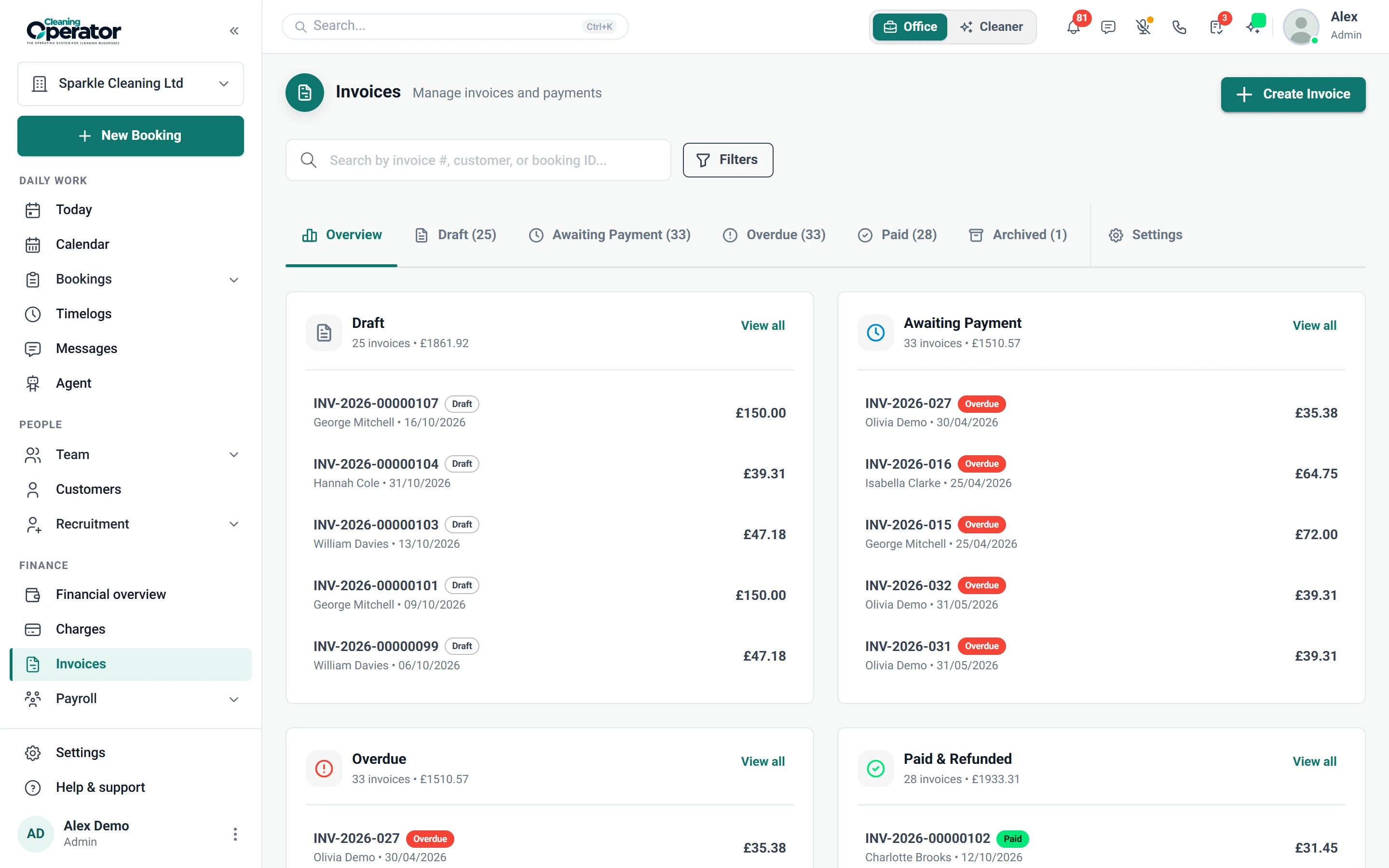
Screenshot of Invoices — Invoice list and editor

6 features from the reference

What changes for a commercial cleaning company.

Each problem and fix below is quoted from the feature reference. Contract and office cleaning companies use the same Cleaning Operator as every other cleaning company; these are the parts that matter most.

The problem

Commercial clients pay on invoice, and matching each payment back to the right booking is a job in itself.

With Cleaning Operator

Bookings are marked paid when the customer pays the invoice. Pick Invoice as the payment method, and it's generated on your invoice schedule.

  • An invoice is generated on your invoice schedule
  • Separate from the Cash and Card checkboxes on customer-facing forms
  • Turned on under Invoice Settings

The problem

Every cleaner has their own idea of a finished clean, and new starters miss the skirting boards.

With Cleaning Operator

Cleaners work from your list, not their own idea. Build checklists with ticks, notes, photos and signatures, and attach them to the right services.

  • Building blocks: heading, text, short and long input, image upload, dropdown, checkboxes, radio buttons and a signature pad
  • Assigned to services and can be overridden per booking
  • Show completed checklists to customers is a Customer Portal setting

The problem

Hours for payroll come from memory, so when a customer says the cleaner left early, I can't check.

With Cleaning Operator

Clock-in and clock-out times show when each cleaner arrived and left, and feed payroll. Approve, reject or escalate each timelog, and review job photos.

  • Approve, reject or escalate a timelog; approved and rejected logs lock
  • Unapproved logs also appear on the dashboard Needs attention list
  • Export timelogs as CSV from Bookings → Timelogs → Export

The problem

Team views: Business plan and above

Shuffling one afternoon means rubbing out half the whiteboard and hoping nothing else clashes.

With Cleaning Operator

Moving a job takes one drag, to a new time or a new cleaner. Click any booking to edit, cancel or charge it.

  • Views: Calendar (default), Day View, Week View, Month View, Week Team View, Day Team (Horizontal), Day Team (Vertical), List
  • Drag a booking to a new time or cleaner
  • Click a booking to edit, cancel, charge or change stop order; New Booking opens as a drawer
  • Week Team and Day Team views need the Business plan or above; the other views are on every plan

The problem

Office contracts and domestic cleans get muddled together on the booking form and in the figures.

With Cleaning Operator

Domestic, commercial and end of tenancy work stay separate on the form and in reports, because each sits in its own industry.

  • Settings → Industries
  • Each has an internal name, optional public name, description, optional service fee and an active flag
  • Keeps domestic and commercial work distinct on the form and in reports
  • Professional includes one industry; more than one needs the Business plan or above

The problem

I only find out a cleaner's DBS or insurance has expired when a commercial client asks to see it.

With Cleaning Operator

You spot expiring paperwork before a client does. Add expiry dates to DBS, insurance and right to work documents, and expired or expiring ones are flagged.

  • Documents: passport, driving licence, DBS certificate, right to work, insurance, contract, training certificate or other
  • Each document has a status (pending, verified, rejected) and optional expiry date; expired or soon-to-expire documents are flagged
  • Cleaners → Reorder sets the order cleaners appear

Booking → the day → paid

A contract visit, from the booking to the paid invoice.

  1. 01Booking

    The office books the contract visits

    Book the whole job before the customer hangs up. One form handles the customer, service, extras, time, cleaners and payment.

    Smart or Manual cleaner assignment, with duration and price overrides (each with an optional reason)

    Booking → Admin booking form

  2. 02The day

    Clock-in, photos and a signed checklist on site

    Clock-in and clock-out times show when each cleaner arrived and left, and feed payroll. Approve, reject or escalate each timelog, and review job photos.

    Approve, reject or escalate a timelog; approved and rejected logs lock

    Cleaners → Timelogs and cleaning photos (office)

  3. 03Paid

    The invoice goes out on your schedule

    Reminders go out automatically before the due date, then repeat on your schedule once overdue. Invoices carry your logo, tax ID and contact details.

    Reminder 1 and Reminder 2 days before due, plus an overdue reminder with a frequency and hour of day

    Invoices → Invoice settings

Business, from £119 / $149 a month

The plan for a commercial cleaning company.

For growing companies that need payroll, team views, recruitment and their own website. Every plan includes a 14-day free trial, and you can cancel anytime from billing.

Business

For 9 to 20 cleaners

For growing companies that need payroll, team views, recruitment and their own website.

£119 pounds per month$149 US dollars per month

Includes a 14-day free trial

cleaner accounts
20
office users
10
service categories
3

Everything in Professional, plus:

  • Team calendar views
  • Payroll
  • Pay split between cleaners
  • Recruitment
  • Website builder
  • SMS with your own Twilio keys
Start free trial

Cancel anytime, no lock-in contract.

On Enterprise, £199 pounds per month$249 US dollars per month a month

Everything in Business, plus:

  • 100 cleaner accounts
  • Unlimited office users
  • Unlimited service categories
  • AI assistant
  • Your own domain
  • Data export

Customers, bookings and cleaners carry across when you move up. More than 100 cleaners? Talk to us.

Every plan includes

  • Bookings and recurring work
  • Customer records
  • Day, week and month calendar
  • Card payments with Stripe
  • Invoicing
  • Messages
  • Clock-in and job photos
  • Checklists
  • Email templates
  • Cleaner contract e-signing
  • Dashboard
  • Mobile app for cleaners and the office

Bring your own accounts. Card payments run through your own Stripe account. SMS and voice calling connect through your own Twilio keys; SMS is included from the Business plan.

Questions

Questions from contract and office cleaning companies.

Answered from the feature reference and the pricing page, not from a sales call.

Can clients pay on invoice rather than by card?

Yes. Staff pick Invoice as the payment method on the booking and an invoice is generated on your invoice schedule. The booking is marked paid when the customer pays the invoice. Reminders go out before the due date and repeat once overdue, and customers pay by card from a link without a portal login.

What can we show a client who questions a visit?

Clock-in and clock-out times for each cleaner, with photos if you require them at clock-in and clock-out; the checklist completed in the app, including any signature, which can block clock-out until it is done; cleaning photos reviewed under Bookings → Cleaning Photos; and the Booking Changes Log, where each entry has a timestamp and a user. Completed checklists can also be shown to customers in the portal.

Can one client have several sites?

Yes. A customer record holds more than one address and each booking is made against one of them. With location-based service areas on, the booking form offers only the services and cleaners that cover the address postcode, and office staff can be limited to one service area.

Can we keep commercial work apart from domestic?

Yes. Commercial work sits in its own industry, so Domestic, Commercial and End of Tenancy stay separate on the booking form and in reports. The Financial Report filters and breaks down by industry. Each industry is a service category: Professional includes 1, Business 3 and Enterprise has no limit.

Do you integrate with accounting software or take purchase-order numbers?

No. Cleaning Operator has no accounting integration, no quoting tool and no purchase-order field. Invoices carry your company name, address, phone, email, website, tax ID and logo and can be viewed as PDF, and booking data can be exported for the dates you need.

How many cleaners and office users can we have?

Business includes 20 cleaner accounts, 10 office users, and 3 service categories. Enterprise raises that to 100 cleaner accounts with unlimited office users and service categories, and adds AI assistant, your own domain, and data export. More than 100 cleaners? Talk to us.

Something not covered? Contact us

Start today

Proof for the client, invoices on schedule.

Signed checklists, clock-in photos, Invoice as a payment method and commercial work kept apart from domestic.

14-day free trial on every plan. Cancel anytime, no lock-in contract.