
Skip to content
Cleaning Operator

Keep customers close

Customer messaging, SMS and calls for cleaning companies

Customer messages are spread across my mobile, my inbox and the cleaners' phones.You chat, text, email and call from the office, with conversations tied to the customer rather than a personal phone.

14-day free trial on every plan. Cancel anytime, no lock-in contract.

Business and aboveSMS with your own Twilio keys.See pricing

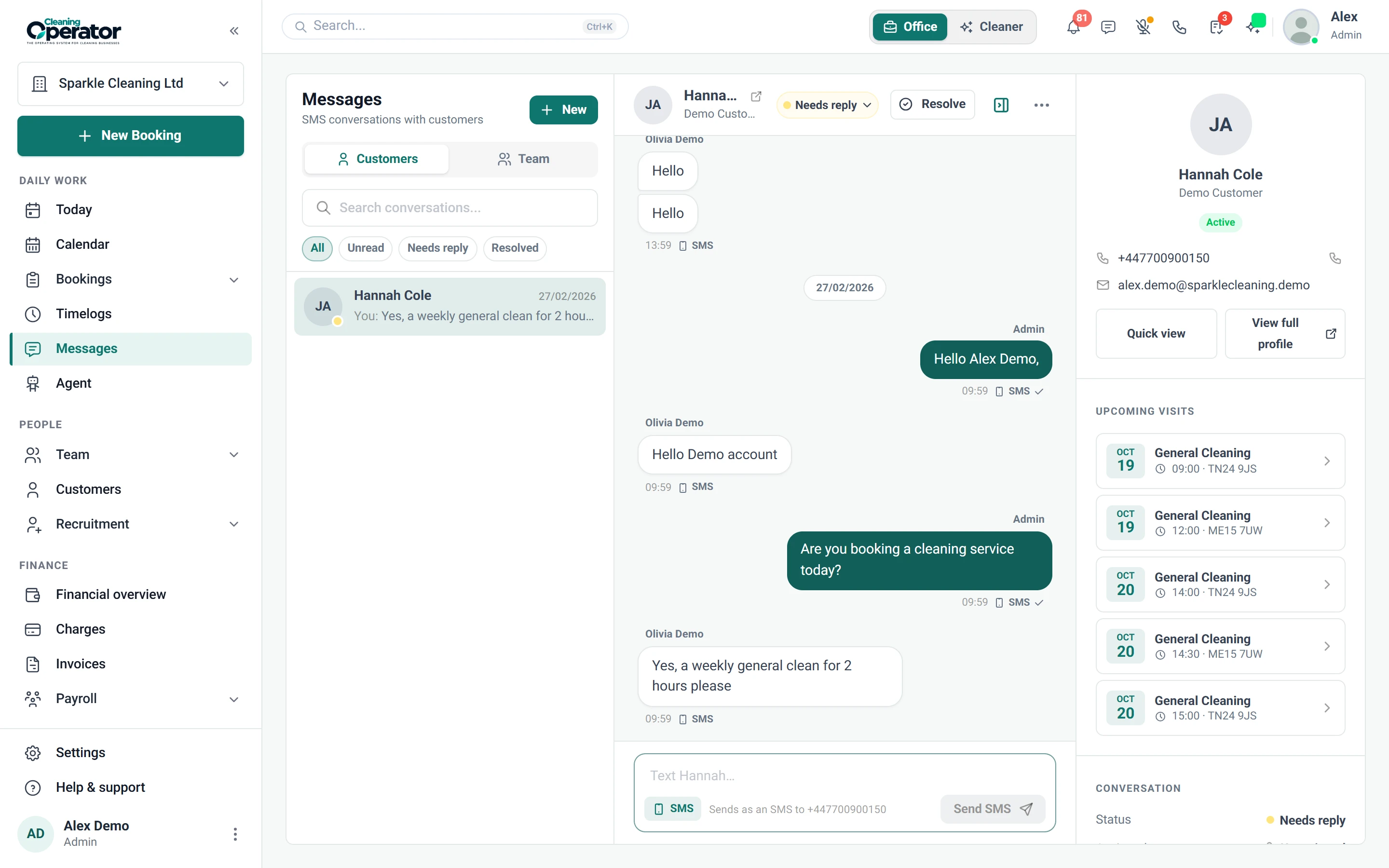
Screenshot of Communication — Messaging + SMS

What is included

5 features in Messaging.

The problem each one solves, then how Cleaning Operator fixes it, with the screens and settings named.

  1. Messaging centre (chat + SMS)

    A shared inbox for in-app chat and SMS threads, kept on the customer record.

    The problem

    Customer texts land on whichever phone they happened to message, so half the office never sees them.

    With Cleaning Operator

    Conversations live in one shared, searchable inbox, not on someone's phone. Chat and SMS threads are kept on the customer record.

    • Communication → Messaging + SMS: search, filter customers or cleaners, open and send
    • Unread counts show in the sidebar
    • SMS appears as a channel when you have a Twilio phone number
    • In-app chat is on every plan; SMS needs the Business plan or above
  2. Email settings and templates

    Branded automatic emails for confirmations, reminders, invoices and more, each editable and switchable.

    The problem

    I'm typing the same confirmation and reminder emails by hand every evening, and some never get sent.

    With Cleaning Operator

    Confirmations, reminders and invoices go out on their own as branded emails. Edit the wording of each template, or switch it off.

    • Verify your sender email; it is required for invoice reminders
    • Templates are split into admin, staff, customer and cleaner emails
    • Email Log under Settings shows what was sent
  3. SMS settings and templates

    Automated texts through Twilio, with wording written separately for the customer, cleaner and admin.

    The problem

    Business and above

    Customers forget we're coming, and the cleaner turns up to a locked door and no one home.

    With Cleaning Operator

    A text reminder goes out 24 hours before each visit, once Twilio is connected. You write the wording for customers, cleaners and the office separately.

    • Connect Twilio under Settings → Integrations → Twilio
    • Booking reminders go out 24 hours before the visit; that timing is fixed
    • Messages over 160 characters are sent as extra segments and cost more
  4. Voice calling (browser)

    Call customers and cleaners from the admin dashboard in the browser, with optional recording and notes.

    The problem

    Business and above

    I return customer calls from my own mobile, and what we agreed lives on a scrap of paper.

    With Cleaning Operator

    Ring customers and cleaners from your browser, not your own mobile. Add call notes as you talk, record calls if you choose, and set voicemail.

    • Header call menu for dialling, answering, mute, hold, keypad and call notes
    • Settings → Voice Settings: call recording set to Always, On demand or Disabled
    • Voicemail and business hours can be set; voice needs Twilio connected
  5. Header notifications and support

    The header bell for in-app notifications, plus search and Help.

    The problem

    Something changes with a booking or payment, and I only hear about it when someone complains.

    With Cleaning Operator

    Changes reach you in the header bell, filtered by bookings, payments, clients and system. Help opens a chat with Cleaning Operator support.

    • Bell filters: all or unread, by category such as bookings, payments, clients and system
    • Search customers, bookings and cleaners from the header
    • Help opens the Cleaning Operator support chat

Keep customers close

Related features.

01 — Booking

Booking: See Booking features

Take the call yourself, let existing customers book online, or put a booking form on your website — same services, prices, and availability everywhere.

  • Admin booking form
  • Public booking form
  • Customer portal booking form (self-service)

Start today

Run the whole cleaning company from one system.

Online booking, the live team calendar, the mobile app, card payments and invoices, and payroll from clocked hours.

14-day free trial on every plan. Cancel anytime, no lock-in contract.