The problem
New customers message at 10pm wanting a slot, and by morning they've booked elsewhere.
With Cleaning Operator
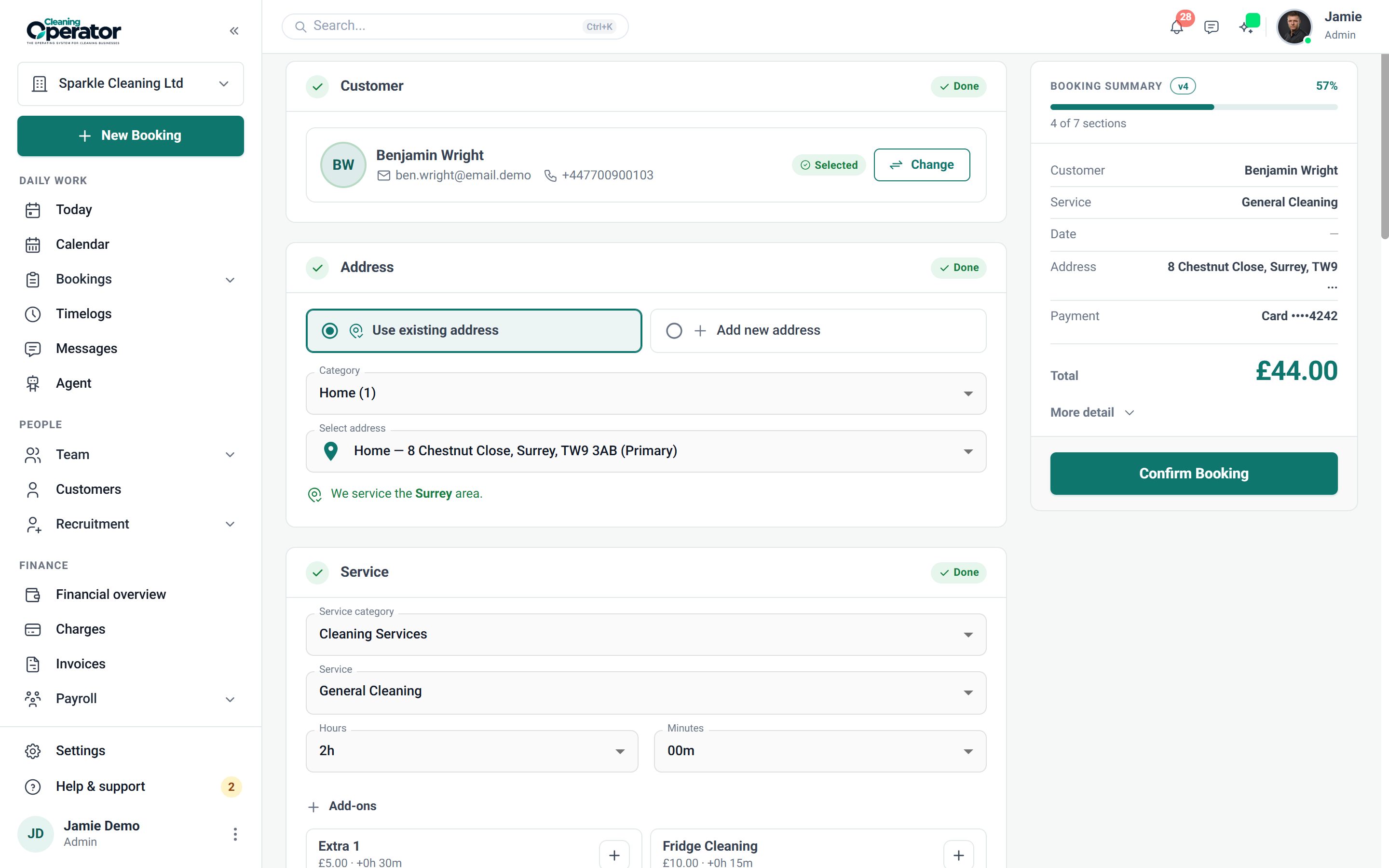
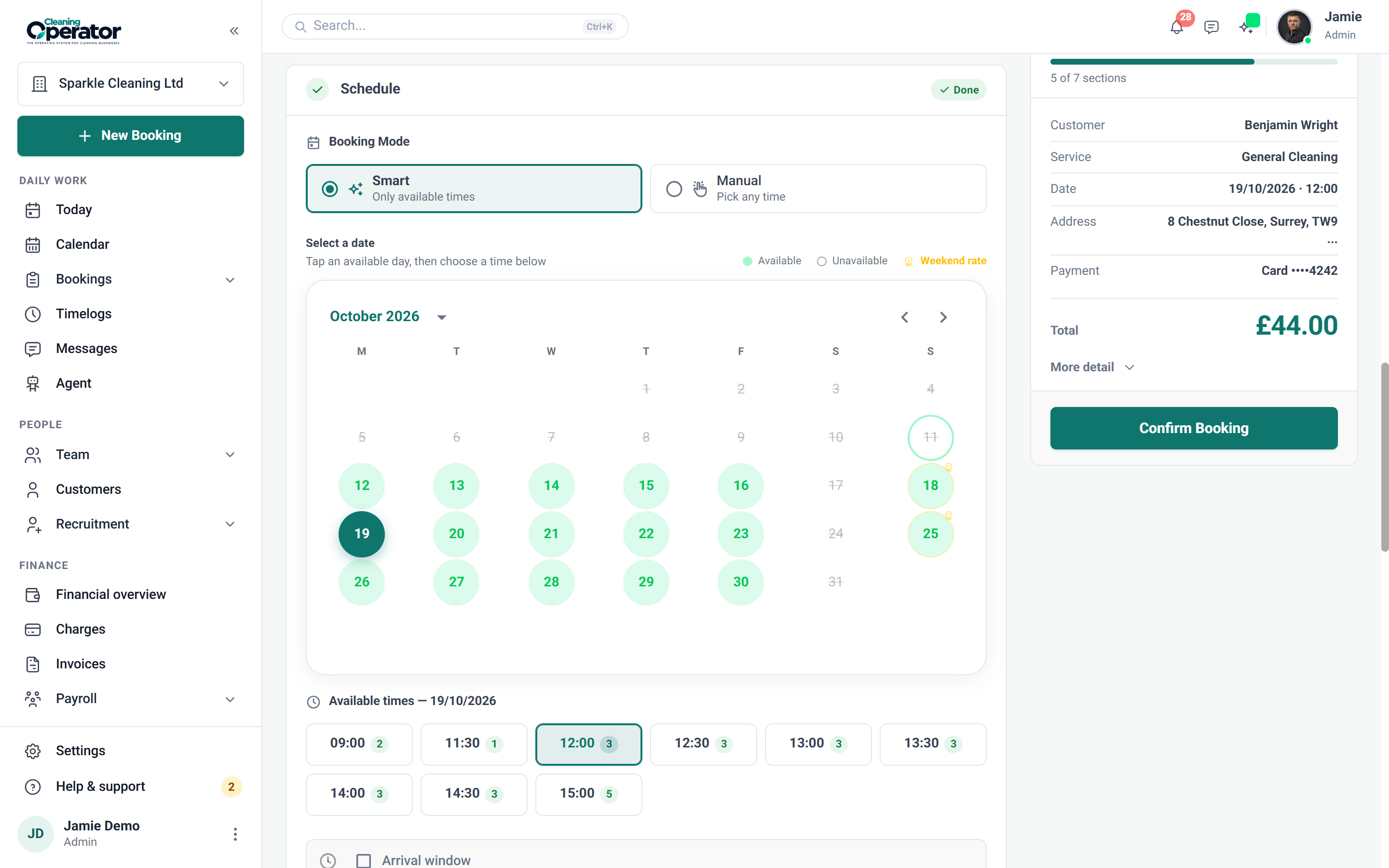
Customers book from a link or your website at any hour, and Smart mode shows only times a cleaner is free.
Smart software for cleaning companies
Cleaning business software for online booking, the live team calendar, the mobile app, card payments and invoices, and payroll from clocked hours. On your own, or with up to 100 cleaners.
14-day free trial on every plan. Cancel anytime, no lock-in contract.
Watch the 70-second product demo
6 problems, 6 fixes
The problems a cleaning company feels every week, and what Cleaning Operator does about each one.
The problem
New customers message at 10pm wanting a slot, and by morning they've booked elsewhere.
With Cleaning Operator
Customers book from a link or your website at any hour, and Smart mode shows only times a cleaner is free.
The problem
Regulars text all evening to move their clean, rebook or change the card on file.
With Cleaning Operator
Regulars get their own login to book again, move visits within your rules and update their card, without ringing you.
The problem
A cleaner calls in sick at 7am, and the whole day gets rebuilt by phone.
With Cleaning Operator
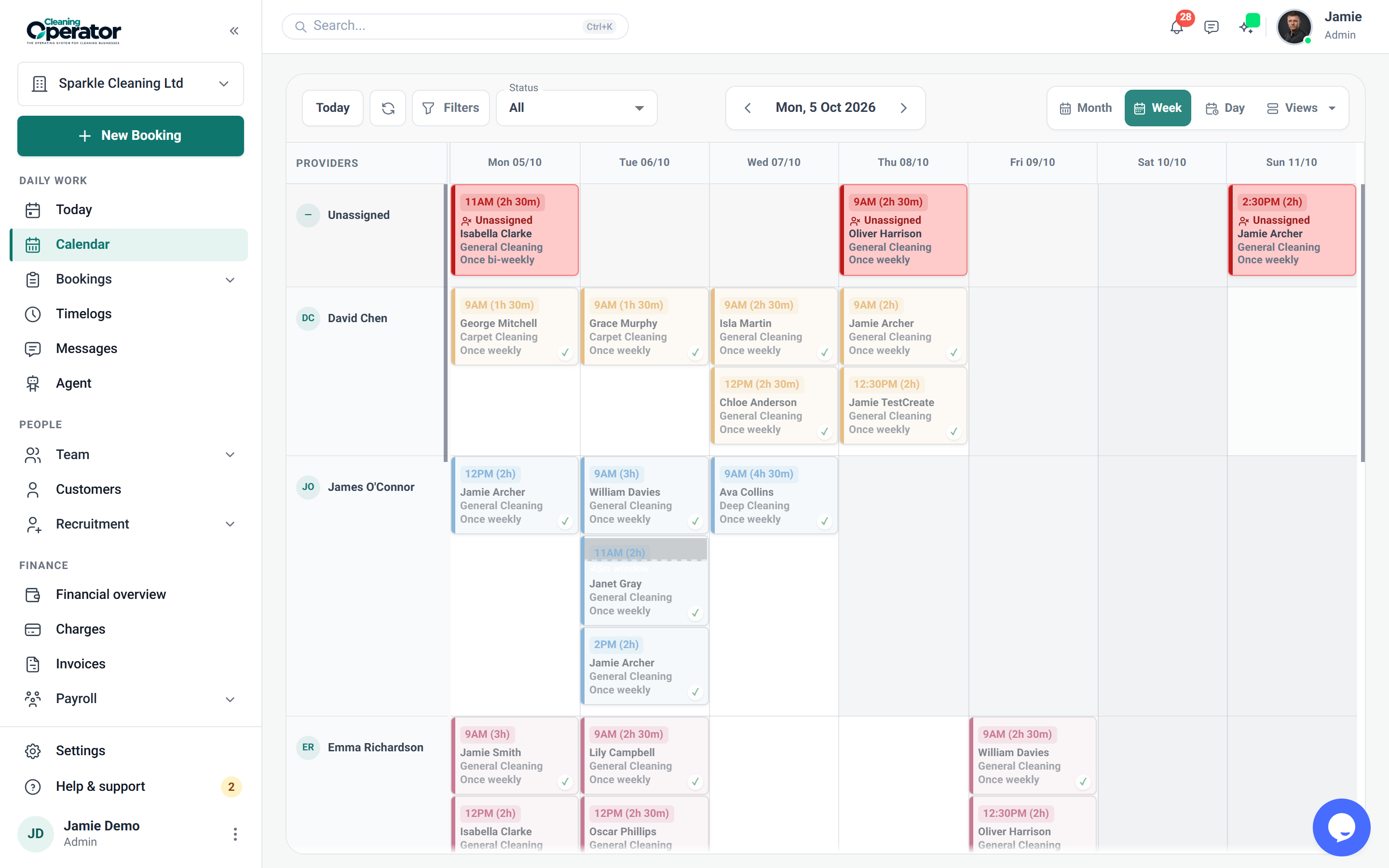
See the whole team on one live calendar and drag each affected visit to a cleaner who's free.
The problem
Cleaners ring for door codes and addresses all morning while I'm trying to work.
With Cleaning Operator
Each cleaner's dashboard shows today's jobs with the address, your notes, directions and checklist for every visit.
The problem
The clean's done, and I'm still chasing card payments by text days later.
With Cleaning Operator
Customers save a card when they book, and you charge it after the clean from one queue, with cash and invoices alongside.
The problem
Business plan and above
Friday afternoons go on payroll in a spreadsheet, and cleaners still query their hours.
With Cleaning Operator
Pay is worked out from clocked hours. Correct anything missed, lock the run, and send payslips by email or to the app.
By company size
Three plans, priced in pounds or dollars, with the limits printed on the card. Customers, bookings and cleaners carry across when you move up.
01 — Professional plan
On your own or with your first cleaners: online booking, a customer portal, card payments and branded invoices in one system.
£59 pounds per month$79 US dollars per month
02 — Business plan
9 to 20 cleaners and a small office: team calendar views, payroll from clocked hours, SMS reminders and recruitment.
£119 pounds per month$149 US dollars per month
03 — Enterprise plan
Up to 100 cleaner accounts, unlimited office users and service categories, proof of every visit, your own domain and data export.
£199 pounds per month$249 US dollars per month
From the booking form to the payslip
01
New customers book whenever they're ready, from a link with no login. They choose the service and time, and add their address and payment.
02
Fill a job without checking three diaries. Smart mode suggests cleaners who are free for the whole duration, or you pick one or more yourself.
03
Everything for the visit sits on one screen: address, service, time, your notes, directions and the checklist, which can block clock-out until it's done.
04
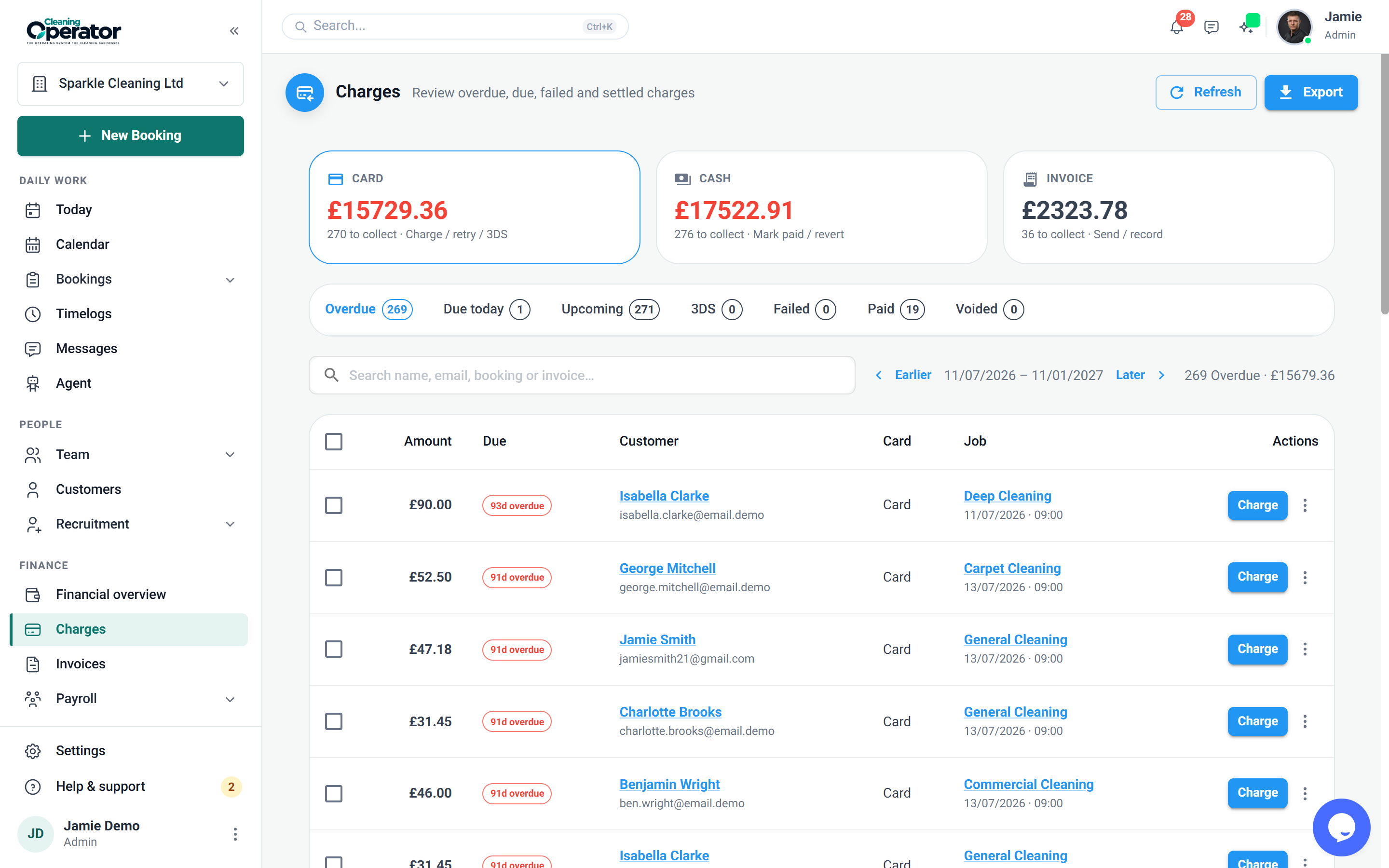
Everything owed sits together, split by card, cash and invoice. Charge in bulk, retry a failed card, refund or mark cash paid.
05
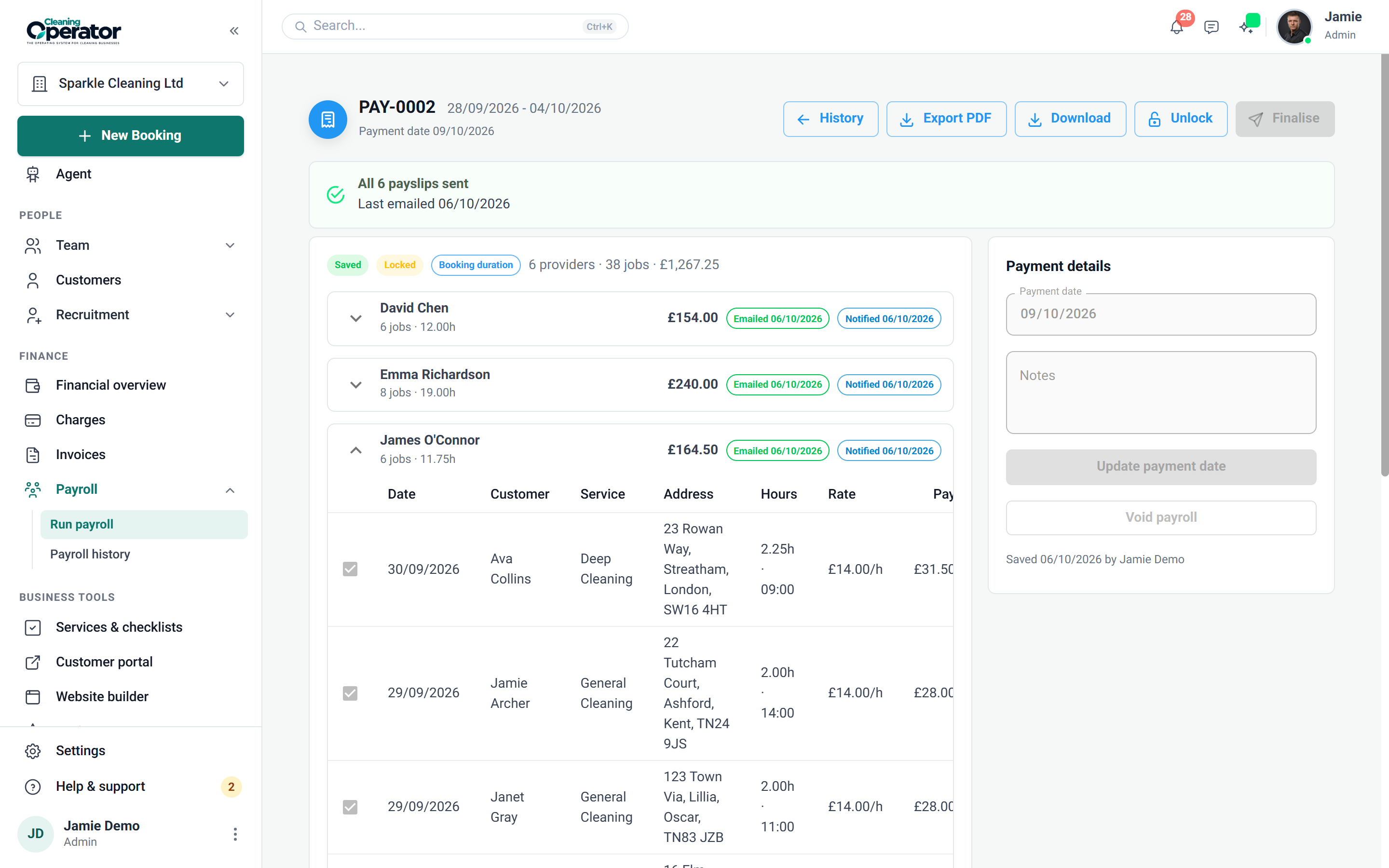
The pay report builds itself, with hours, jobs and pay per cleaner from clocked or booked time. Fix a missed clock-out, then save to lock it.
06
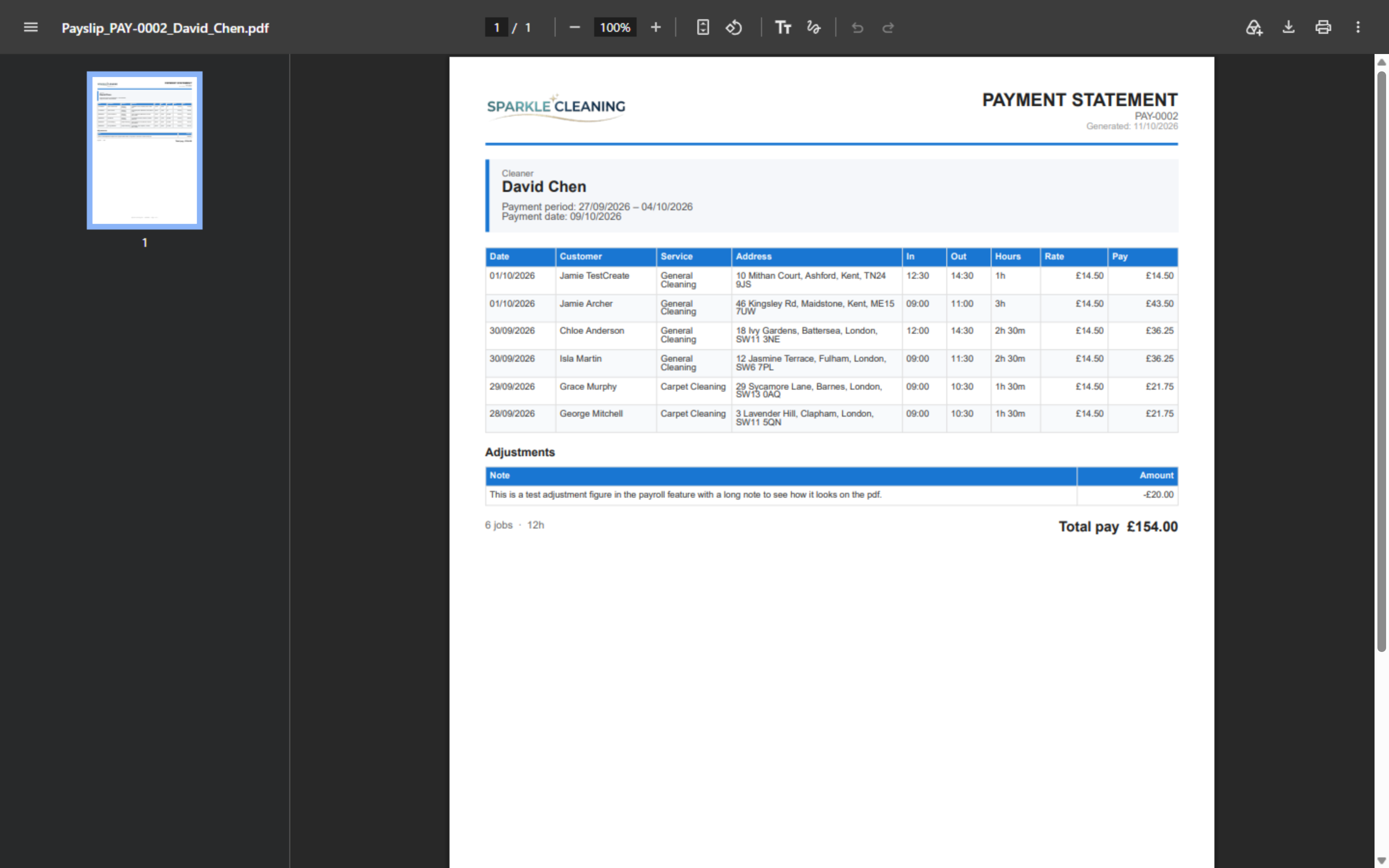
Past runs stay saved, so you can reopen one and resend a payslip when asked. Payslips go by email, to the app, or both.
07
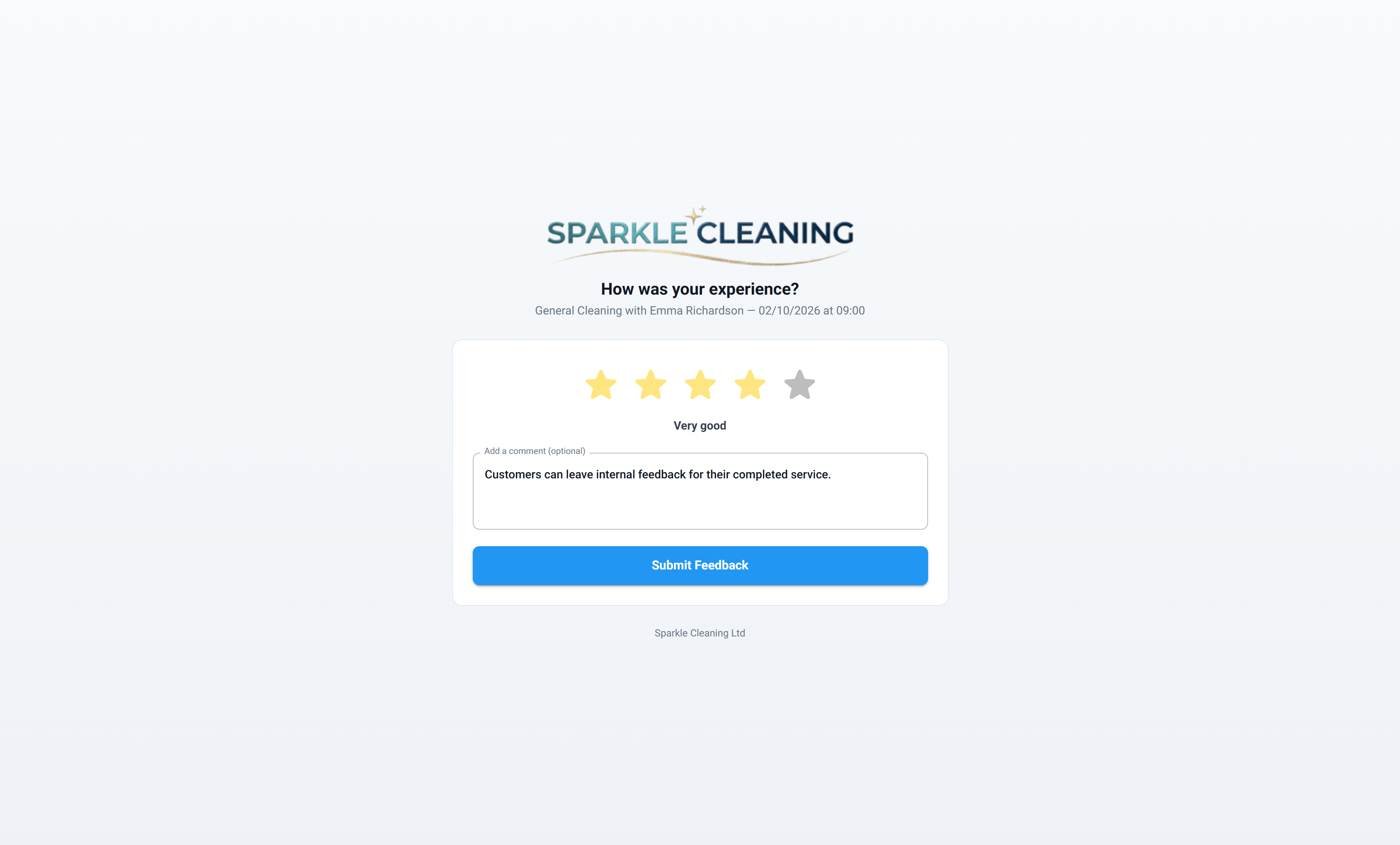
Asking happens without you remembering. A private rating link follows each completed job, and a high rating brings up your Google review message.
Not on this path: quoting and accounting integrations. Cleaning Operator does not do them.
Evidence, not arguments
87 features, 17 categories
Six groups, each named for the outcome, each leading to the categories and features behind it.
01 — Win more work
The phone rings all evening, and bookings still slip through.
02 — Plan every day
It is 7am and you still do not know who is covering what.
03 — Run your team
Cleaners ring all day for door codes, and new starters never show.
04 — Get paid faster
You chase card payments, then rebuild payroll in a spreadsheet each Friday.
05 — Keep customers close
Customer chats sit on a personal phone, and calls get missed.
06 — Run the office
Setup, branding and admin pile up, and you are never at your desk.
The reference
17 categories and 87 features, each with the problem it fixes, the fix, and the screen it lives on.
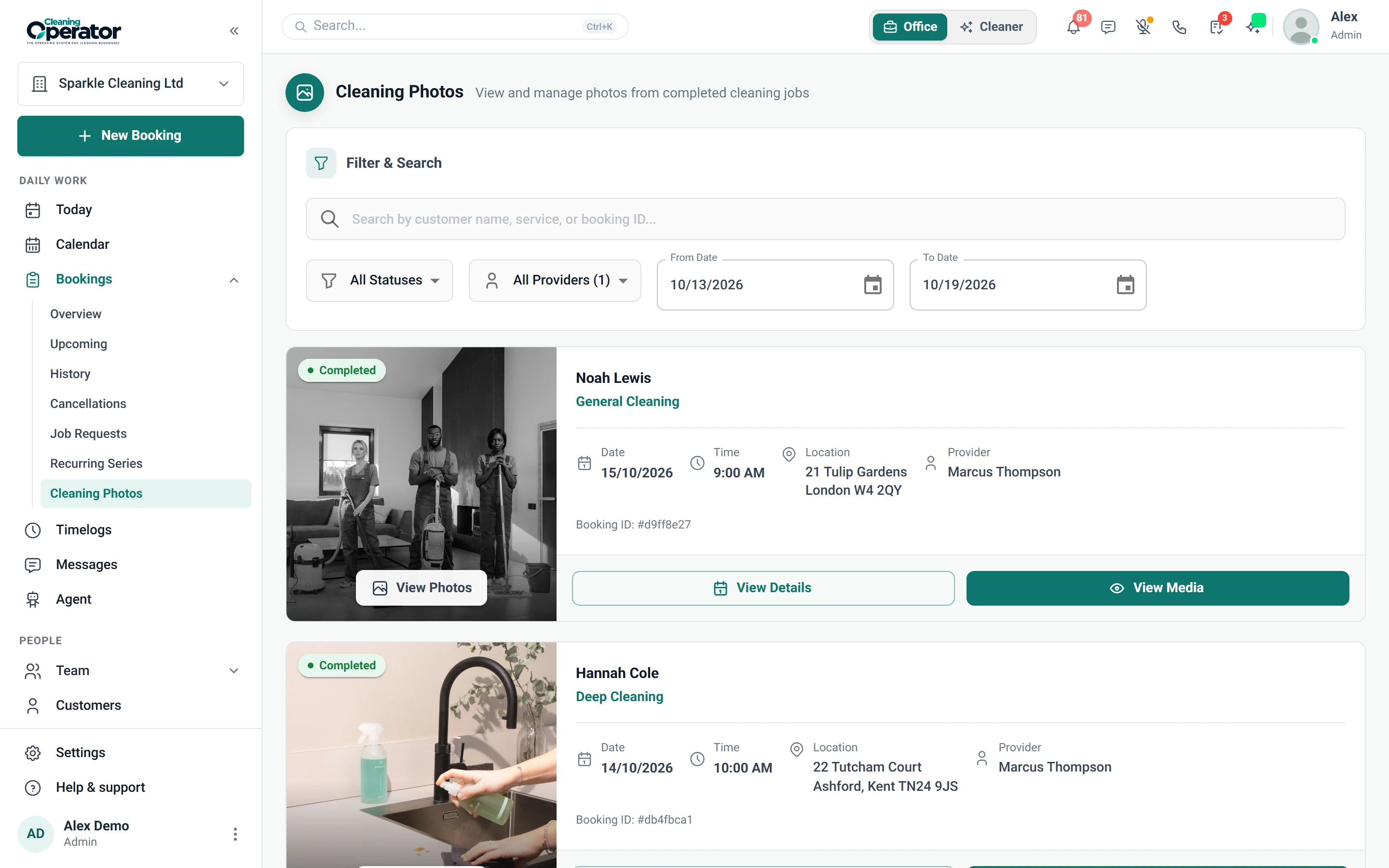
Cleaning Operator app
Cleaners see their day; the office sees the business. Sign in and the app opens the right dashboard for your role, working from the same bookings, customers and cleaners.
For the office
Run the day from your phone: who is where, what needs you, and what is owed.
For cleaners
Today's jobs, clock-in, photos, chat and pay, on the phone in their pocket.
Pricing
14-day free trial on every plan. Cancel anytime, no lock-in contract.
For small cleaning teams getting bookings, the calendar and payments in one place.
£59 pounds per month$79 US dollars per month
Includes a 14-day free trial
Includes:
Cancel anytime, no lock-in contract.
For 9 to 20 cleaners
For growing companies that need payroll, team views, recruitment and their own website.
£119 pounds per month$149 US dollars per month
Includes a 14-day free trial
Everything in Professional, plus:
Cancel anytime, no lock-in contract.
For larger operators that need more seats, the AI assistant, their own domain and data export.
£199 pounds per month$249 US dollars per month
Includes a 14-day free trial
Everything in Business, plus:
Cancel anytime, no lock-in contract.
More than 100 cleaners? Talk to us
Move up when you add cleaners or need payroll, SMS or a website. Talk to us if you need more than Enterprise allows.
Prices in pounds sterling, per month.Prices in US dollars, per month.
Every plan includes
Bring your own accounts. Card payments run through your own Stripe account. SMS and voice calling connect through your own Twilio keys; SMS is included from the Business plan.
Going live
Four steps, whether you are moving from a diary and a spreadsheet or from another system.
Day one starts with services and cleaners ready, not a blank dashboard. The wizard covers business profile, catalogue, team or solo set-up and optional demo data.
Your whole list comes across from a spreadsheet saved as CSV. You match the columns, then check duplicates, skipped rows and address errors before importing.
Unfinished basics stay in view. A checklist shows what remains, from company profile and services to email, SMS, cleaners and customers.
Your question becomes a ticket you can follow. Open Help in the header, send messages and images, and check its status without leaving Cleaning Operator.

Questions
Trials, plans, moving up and cancelling. The pricing page carries the full comparison.
Yes. Every plan includes a 14-day free trial.
Professional suits a small team with up to 8 cleaners. Business adds team calendar views, payroll with pay split between cleaners, recruitment, a website builder, SMS with your own Twilio keys and room for 20 cleaners. Enterprise raises the limits again and adds the AI assistant, your own domain and data export.
Yes. Move up when you add cleaners or need payroll, SMS or a website. Talk to us if you need more than Enterprise allows.
Yes. Cancel anytime from billing. There is no lock-in contract.
Pounds sterling or US dollars, per month. Prices show in pounds for a UK timezone and dollars elsewhere; use the switch under the plans to change. The plans and limits are the same in both currencies.
Start today
Online booking, the live team calendar, the mobile app, card payments and invoices, and payroll from clocked hours.
14-day free trial on every plan. Cancel anytime, no lock-in contract.