Skip to content
Cleaning Operator

Win more work

Customer reviews for cleaning companies

Customers text to say they love the clean, but never leave a Google review.Cleaning Operator asks for a rating after each clean, then points your happiest customers towards a Google review.

14-day free trial on every plan. Cancel anytime, no lock-in contract.

Screenshot of Settings — Review Settings

What is included

1 feature in Reviews.

The problem each one solves, then how Cleaning Operator fixes it, with the screens and settings named.

  1. Review request and public review page

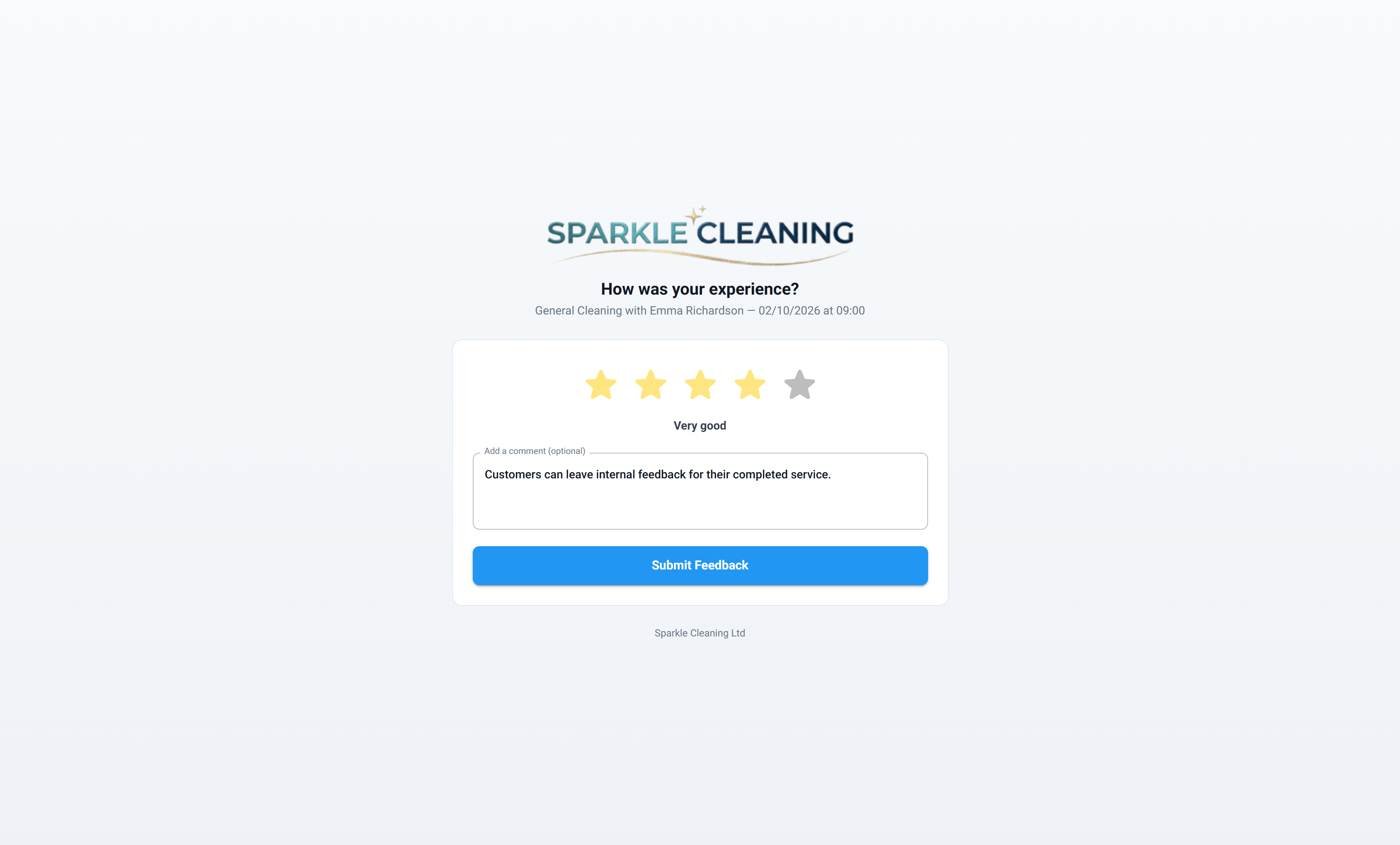
    After a completed job, the customer gets a private rating link; high ratings can show a follow-up message.

    The problem

    I never get round to asking for reviews, so my Google listing doesn't reflect the work we do.

    With Cleaning Operator

    Asking happens without you remembering. A private rating link follows each completed job, and a high rating brings up your Google review message.

    • Settings → Review Settings: Enable customer reviews, Send review request, and the Delay after the job
    • Minimum rating (1–5) before the follow-up message shows; the follow-up text is free text (for example “please review us on Google”)
    • A live preview of the customer form sits on the settings page

Win more work

More ways to win work.

01 — Booking

Booking: See Booking features

Take the call yourself, let existing customers book online, or put a booking form on your website — same services, prices, and availability everywhere.

  • Admin booking form
  • Public booking form
  • Customer portal booking form (self-service)

Start today

Run the whole cleaning company from one system.

Online booking, the live team calendar, the mobile app, card payments and invoices, and payroll from clocked hours.

14-day free trial on every plan. Cancel anytime, no lock-in contract.